

The tax bill you didn't save for
No employer is holding tax back for you. Spend it through the year and your return turns into a bill you can't cover, plus a PAYG instalment on top for next year.
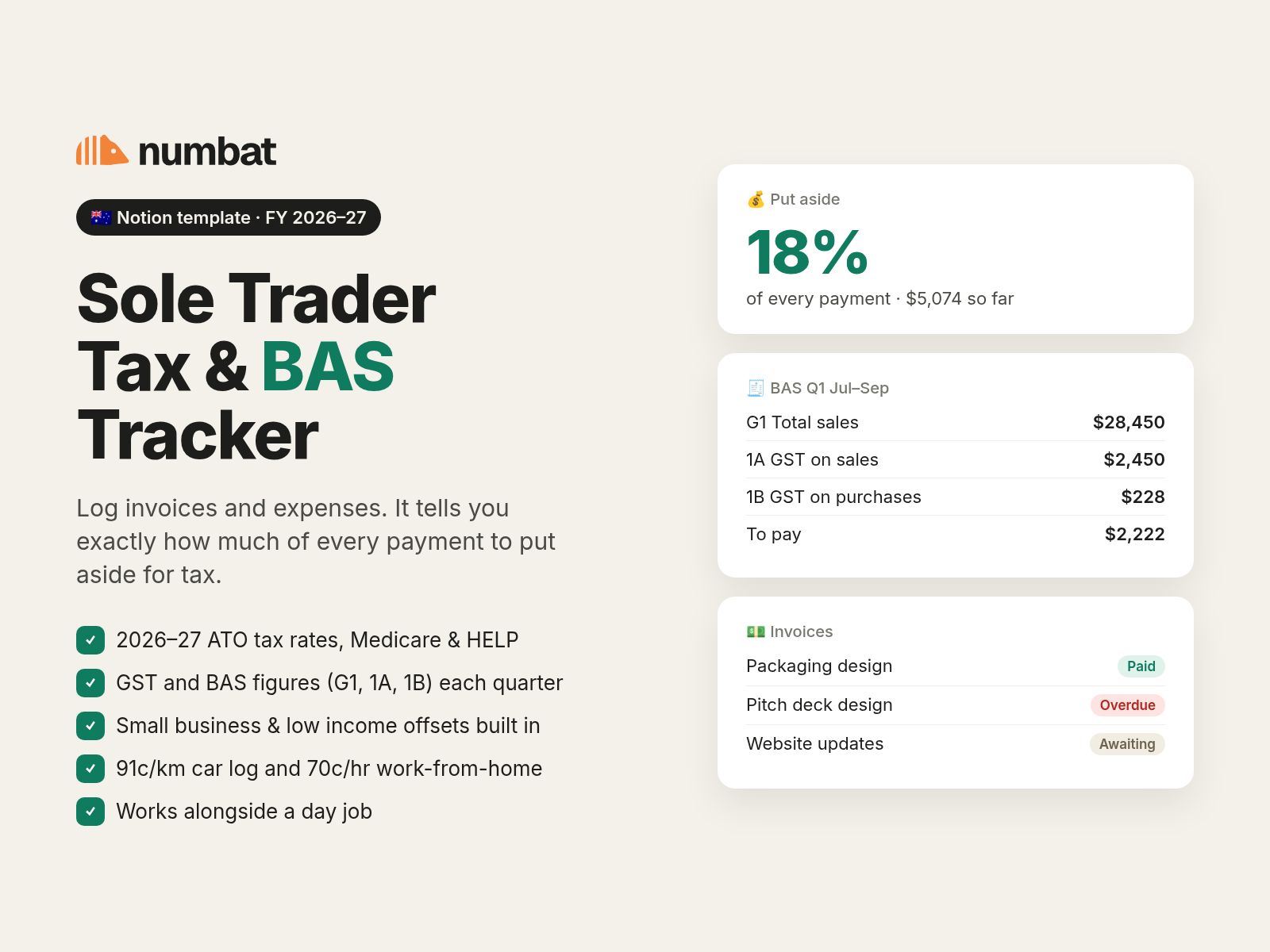
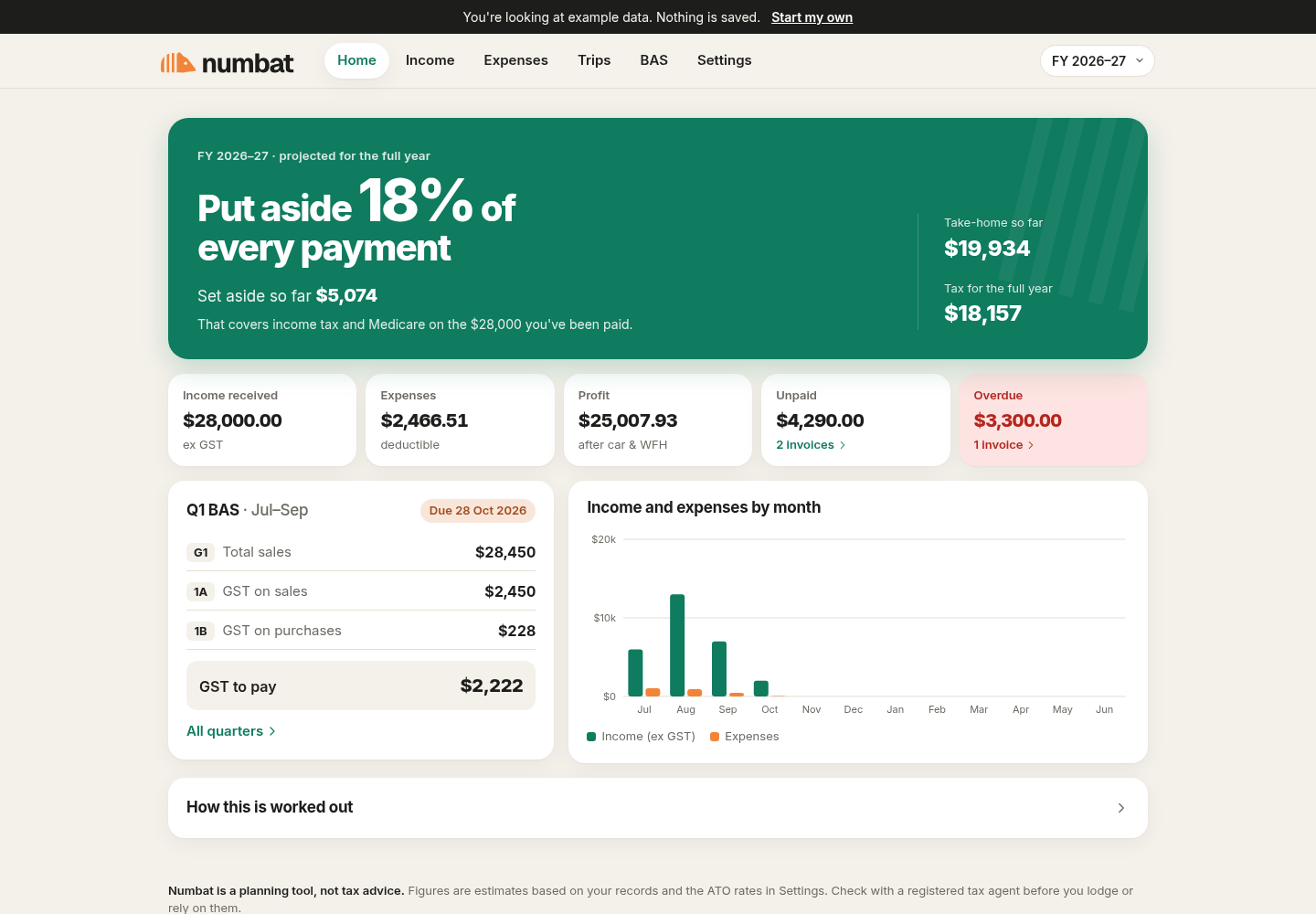
Tax and BAS tracking for Australian sole traders. Log your invoices and expenses, and Numbat tells you how much of every payment is really yours.
Every invoice lands in your account looking like it's all yours. It isn't. Some of it belongs to the ATO, and you only find out how much once the year's over.
No employer is holding tax back for you. Spend it through the year and your return turns into a bill you can't cover, plus a PAYG instalment on top for next year.
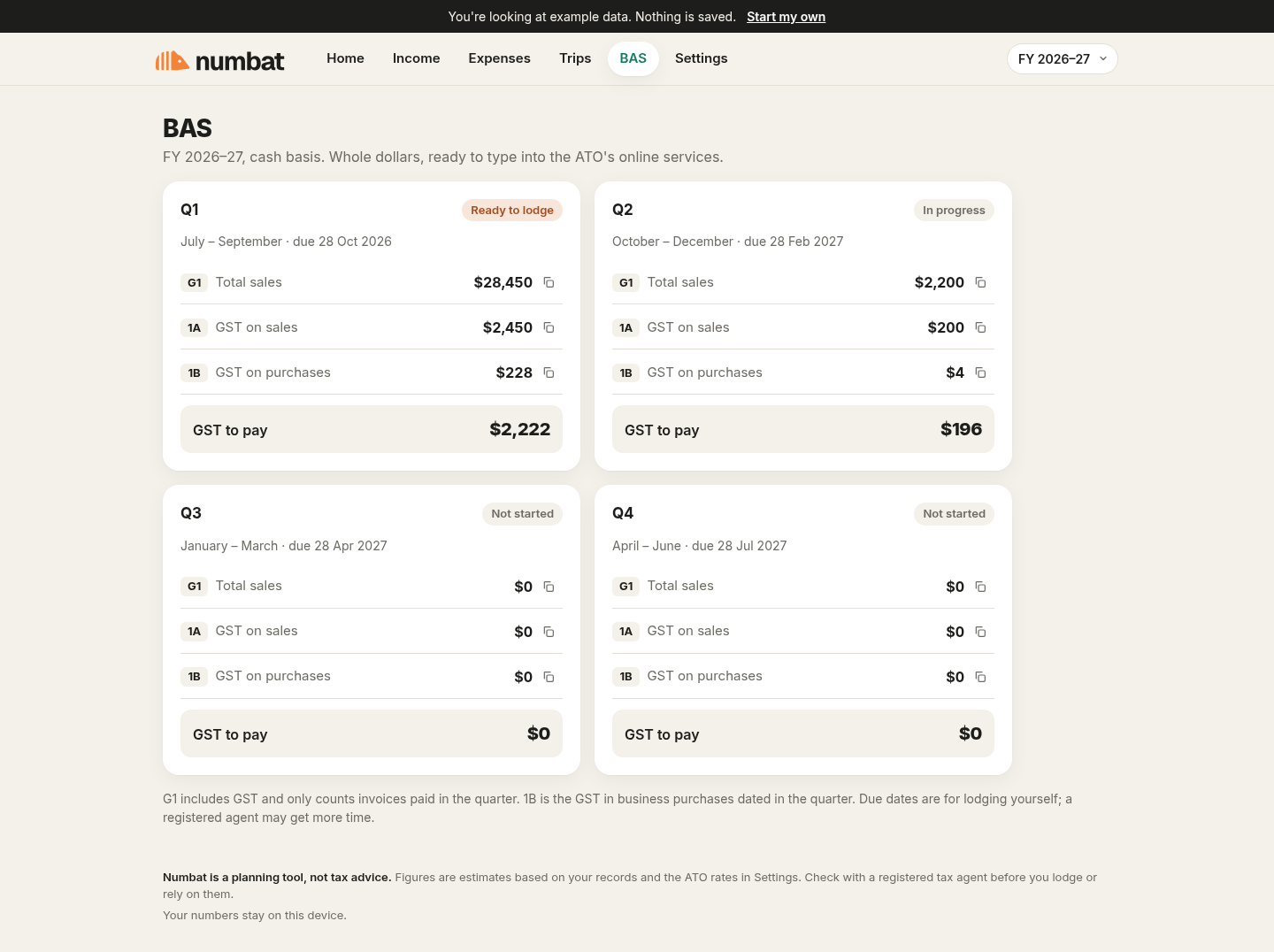
Four times a year you dig through invoices and receipts to work out G1, 1A and 1B. Was that GST-free? Did that one get paid this quarter or last?
Numbat gives you one number to put aside from every payment, and your BAS ready before you need it.
Amount, client, due date. Tick it off when the money lands. GST is split out for you.
Pick a category, set the business-use share, and Numbat works out the deduction and your GST credit.
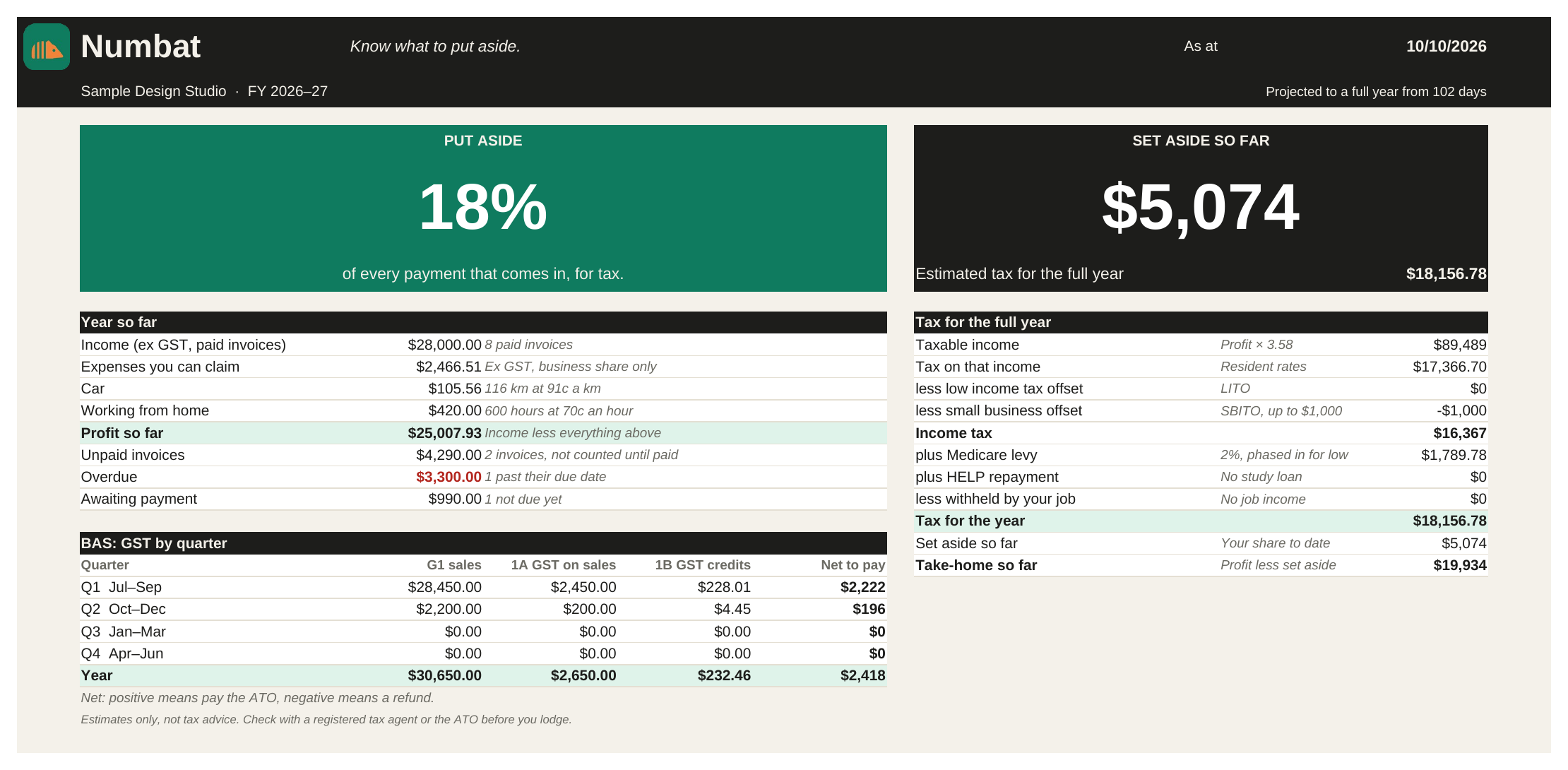
One percentage to move into savings each time you're paid, and your BAS figures for the quarter.
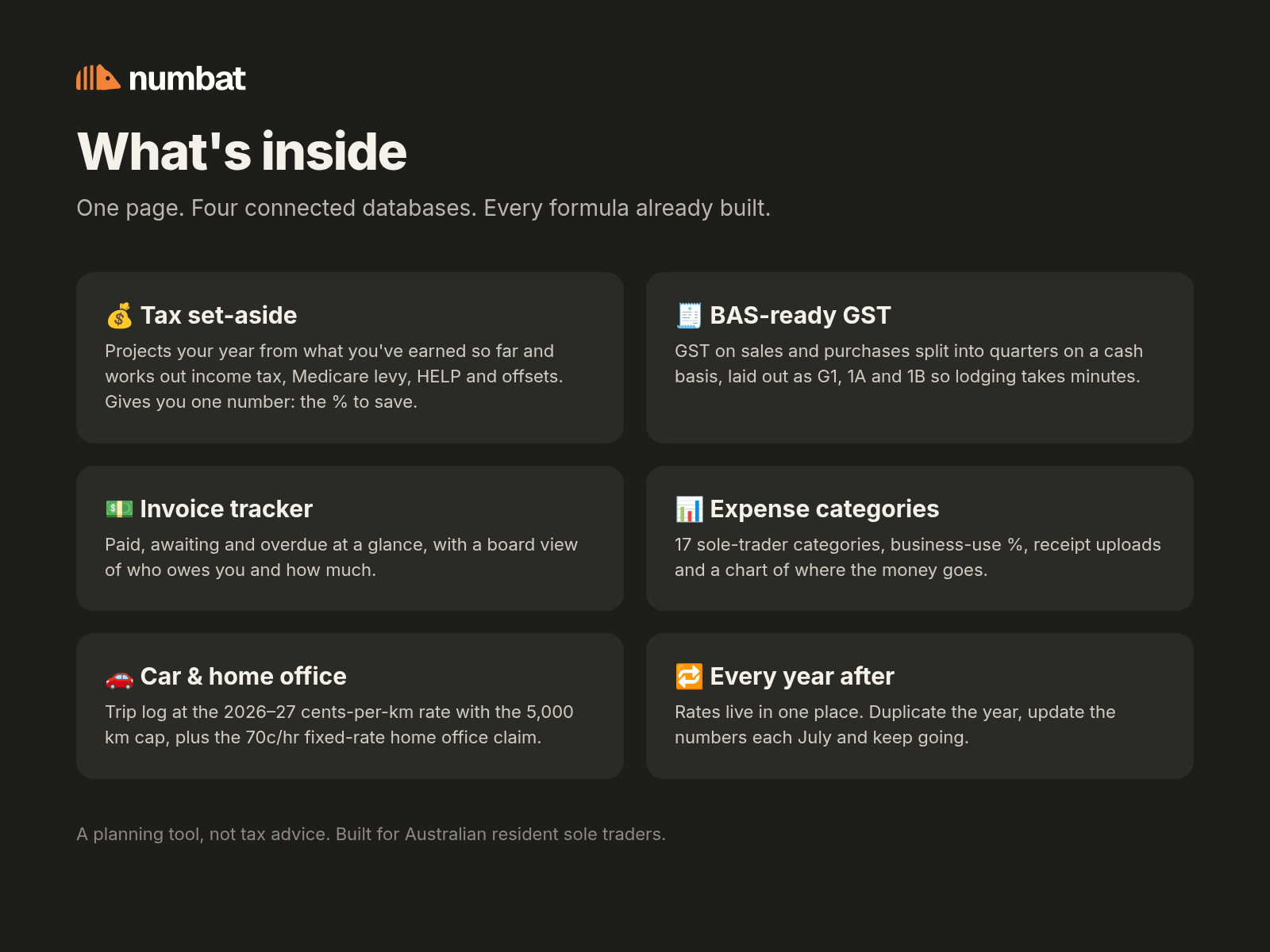
Numbat projects your full year from what you've earned so far, then applies the tax brackets, Medicare levy, HELP and both offsets (low income and small business). You get one number.
G1 total sales, 1A GST on sales and 1B GST on purchases, on a cash basis, split by quarter and ready to copy into your BAS. Plus what you'll pay or get back.
Paid, awaiting and overdue at a glance, so you know who to chase and how much is still out.
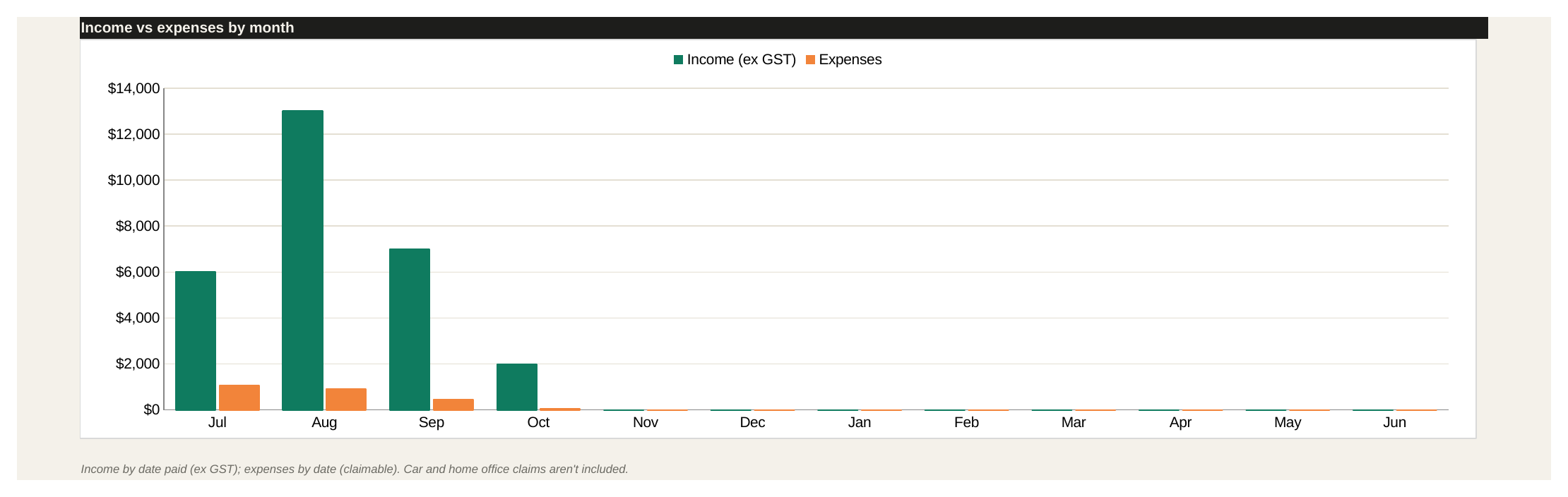
17 sole-trader categories, business-use percentages and GST credits worked out for every receipt.
A trip log at 91c/km (capped at 5,000 km) and the 70c/hour fixed rate for working from home.
Enter your salary and Numbat only asks you to save the extra tax your business creates.
The new 15% bracket, Medicare levy and HELP thresholds, all in one editable table you update each July.
Pop in what you expect your business to make this financial year. You'll get the same estimate Numbat gives you, using the 2026–27 rates.
Registered for GST? Keep the GST you charge (1/11 of each GST-inclusive payment) aside as well. It goes out with your BAS.
An estimate for Australian residents using 2026–27 rates. Not tax advice. It doesn't cover the Medicare levy surcharge, family thresholds or capital gains.
Same calculations in every edition, checked against each other to the cent.
For people who live in Excel, Google Sheets or Numbers.
Yours to keep. No subscription.
For people who already run their work in Notion.
Duplicate it into your workspace in one click.
For people who want it on their phone, with nothing to set up.
or AU$59 / year (save AU$25)
Can't decide, or switching between tools? Get both editions and use whichever suits the day.
Prices in Australian dollars, GST included where it applies. 30-day refunds, no questions asked.
Something else on your mind? Send us a message and a real person will get back to you.
No. Numbat is a planning tool. It gives you a close estimate so you can save as you go, using the ATO's published rates. It isn't a substitute for a registered tax agent, and you should check your return with one.
No. Switch GST off in settings and Numbat leaves it out of everything and hides the BAS figures. You must register once your GST turnover reaches $75,000 a year; when you do, switch it on and your BAS figures appear.
Yes. Enter your salary and Numbat works out the tax on your combined income, then takes off what your employer already withholds. What's left is the extra tax your business creates, and that's all it asks you to put aside.
All the rates live in one table. Each July you start a new year and update the numbers; buyers get an email with the new rates (for 2027–28, the 15% bracket drops to 14%). The app updates itself.
Whichever tool you already open every day. Notion people should get the Notion template. Spreadsheet people should get the spreadsheet. If you'd rather tap it in on your phone, join the app waitlist. The numbers are identical in all three.
Yes. The spreadsheet and Notion template live in your own files and workspace; we never see them. The app stores everything on your device and works offline, with no account and no bank connection. This calculator runs in your browser and sends nothing.
Email us within 30 days and we'll refund you in full. No questions, no forms. This is on top of your rights under the Australian Consumer Law.
Join the waitlist for early access and a launch discount. We'll also tell you when the 2027–28 rates are in. One or two emails a month at most.

We'll be in touch when early access opens. In the meantime, the free calculator above is all yours.